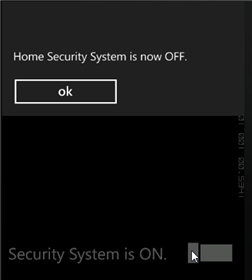
To run your application and observe ToggleSwitch for Windows Phone's run-time behavior, complete the following steps:
1. From the Debug menu, select Start Debugging to view how your application will appear at run time.
2. Tap the C1ToggleSwitch. A message box appears, stating the system is now off.
3. Tap ok and notice the content of the C1ToggleSwitch now states that the system if off.

4. If you tap the C1ToggleSwitch again, a message now appears stating that it is on.
Congratulations! You've completed the ToggleSwitch for Windows Phone quick start.