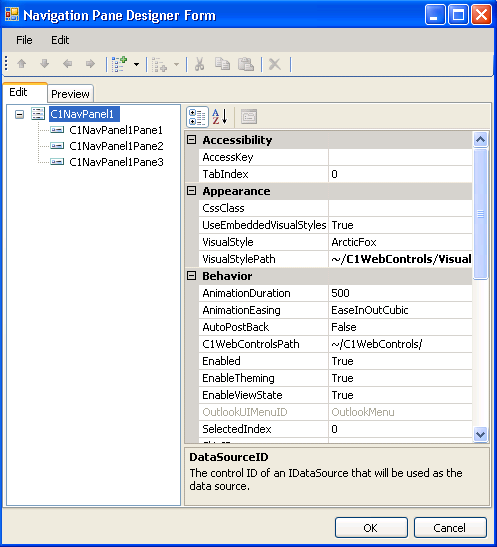
The Navigation Pane Designer Form contains a menu, toolbar, Edit tab, Preview tab, and properties pane.
• Navigation Pane Designer Form Menu
The Navigation Pane Designer Form menu contains the following menu items and subitems:
|
Menu Item |
Submenu Item |
Description |
|
File |
Load from XML |
Load the formatting for a C1NavPanel control from an .xml file. |
|
Save as XML |
Save the current formatting of the C1NavPanel control to an .xml file. | |
|
Exit |
Closes the Navigation Pane Designer Form. | |
|
Edit |
Insert Item |
Inserts a new C1NavPanelPane at the specified place in the list of panes. |
|
Add Child |
Adds a new C1NavPanelPane as a child of the C1NavPanel. | |
|
Cut |
Cuts the selected C1NavPanelPane to be moved in the list of panes. | |
|
Copy |
Copies the selected C1NavPanelPane. | |
|
Paste |
Pastes a C1NavPanelPane at the specified location in the list of panes. | |
|
Delete |
Removes the selected C1NavPanelPane. | |
|
Rename |
Allows you to change the name of the C1NavPanelPane. | |
|
About |
Provides information on the C1NavPanel control. |
• Navigation Pane Designer Form Toolbar

The table below describes each button in the toolbar:
|
Button |
Name |
Description |
|
|
Move Item Up |
Moves the selected C1NavPanelPane up the list of panes. |
|
|
Move Item Down |
Moves the selected C1NavPanelPane down the list panes. |
|
|
Move Item Left |
Moves the selected C1NavPanelPane to the left in the hierarchy. |
|
|
Move Item Right |
Moves the selected C1NavPanelPane to the right in the hierarchy. |
|
|
Add Child Item |
Inserts a C1NavPanelPane as a child of the C1NavPanel control. |
|
|
Insert Item |
Inserts a C1NavPanelPane at the specified location in the list of panes. |
|
|
Cut |
Cuts the selected C1NavPanelPane to be moved in the list of panes. |
|
|
Copy |
Copies the selected C1NavPanelPane. |
|
|
Paste |
Pastes a C1NavPanelPane at the specified location in the list of panes. |
|
|
Delete |
Removes the selected C1NavPanelPane. |


• Edit Tab
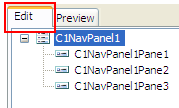
Click the Edit tab and select the C1NavPanel control or the desired C1NavPanelPane for which you would like to manipulate or adjust the properties.
• Preview Tab
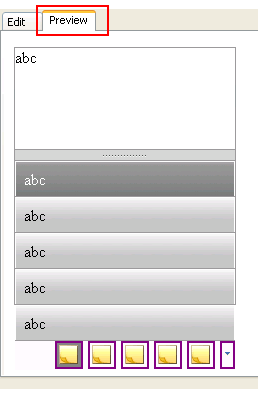
Click the Preview tab for a preview of what the C1NavPanel control will look like.
• Properties Pane
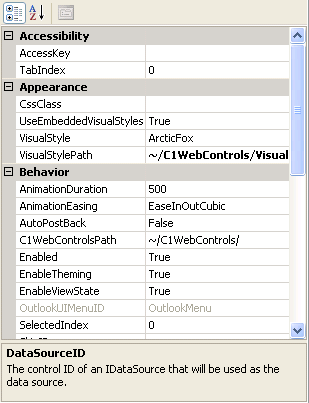
The Navigation Pane Designer Form properties pane is almost identical to the Visual Studio Properties window. Simply select a C1NavPanelPane or the C1NavPanel control and set the desired properties here.
• Command Buttons
The command buttons are summarized in the following table:
|
Button |
Description |
|
OK |
Clicking OK applies the new settings to the C1NavPanel control. |
|
Cancel |
Clicking Cancel closes the Navigation Pane Designer Form, cancelling the new settings and applying the default settings to the C1NavPanel control. |
|