Using the Built-in Spell Dialog Box
Using the built-in spell dialog box is easy. You don’t have to do anything other than call the CheckControlAsync method.
The built-in dialog box has built-in localization with support for seven languages. The localization is controlled by the SpellOptions.DialogLanguage property. The default setting, Automatic, causes the dialog box to be displayed in the language that corresponds to the CultureInfo.CurrentCulture property. You can override that as shown below:
SpellOptions options = c1SpellChecker1.Options;
options.DialogLanguage = DialogLanguage.German;
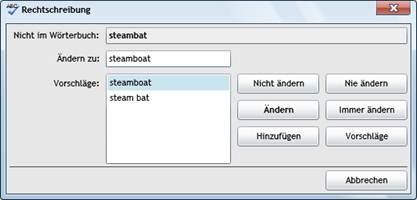
Here is the German version of the built-in spell dialog box:
Note that the dialog box language matches the application language and is independent of the current dictionary language. You could write an English application and use it to check German text for example.