C1ToolBar includes a special designer for customizing the toolbar items in the top-level toolbar.
To add a template for the top-level toolbar items, complete the following:
1. Add toolbar buttons to the Toolbar control using the C1ToolBar Designer Form. For more information on adding toolbar items using the C1ToolBar Designer Form see Adding Child ToolBar Items.
2. Open the C1ToolBar Designer Form editor and remove the default text from one of the ToolBarButtons’ Text property.
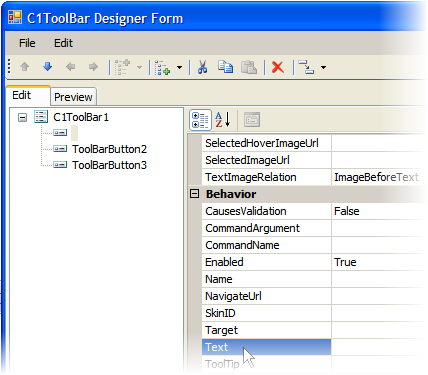
3. Click OK to save and close the C1ToolBar Designer Form dialog box.
4. Switch to source view and add the following HTML markup right above the <Items> tag:
<TopItemsTemplate>
<%#Eval("Text") == "" ? ("<font color=\"green\">empty text</font>") : ("<i><b>" + Eval("Text") + "</b></i>")%>
</TopItemsTemplate>
5. Run you project and notice the text and font style for the toolbar items.

|