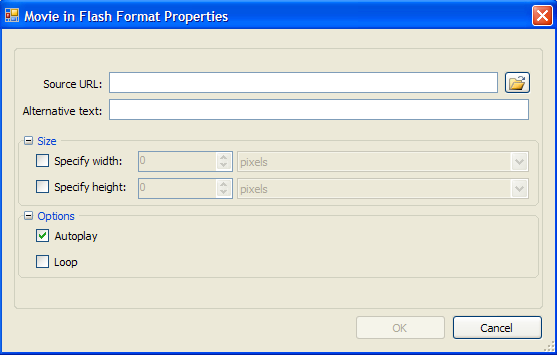
In the Movie in Flash Format Properties dialog box, users can specify the Flash movie to be inserted in the document as well as set the window size and play options.
|
Source URL |
Click the Browse button to locate a Flash movie. |
|
Alternative text |
Enter the text that should appear in case the movie is unavailable. |
Size
|
Specify width |
Select this checkbox and enter a number to specify the movie window width. Choose pixels or percent. |
|
Specify height |
Select this checkbox and enter a number to specify the movie window height. Choose pixels or percent. |
Options
|
Autoplay |
Select this check box to automatically start the movie when the document is loaded. |
|
Loop |
Select this check box to continuously play the movie. |
|