ExpandDirection
Result
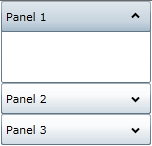
Down
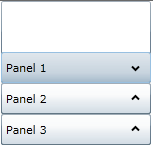
Up
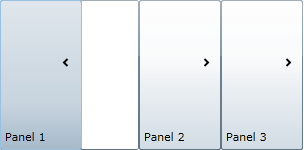
Right
Left
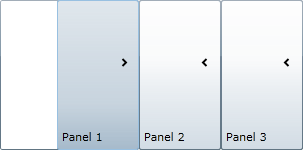
The C1Accordion control includes the option to specify the expand direction using the ExpandDirection property. In addition to setting the direction of expansion, changing the ExpandDirection also changes the header's orientation to the content area of the control. By default the ExpandDirection property is set to Down and the control expands from top to bottom.
The following table illustrates each ExpandDirection setting.
ExpandDirection | Result |
Down |
|
Up |
|
Right |
|
Left |
|
You can set the collapsing and expanding direction in Blend, XAML, or code.