Effect
Sample Image
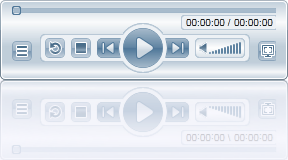
BlurEffect
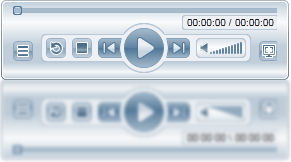
DropShadowEffect
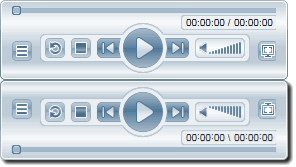
The C1Reflector control comes with a ReflectionOpacityEffecteffect that you can use to alter the reflection of an item. Setting the Coefficient property will set the coefficient applied to the function that computes the effect's opacity. Setting the Offset property sets the offset applied to the function that computes opacity.
You can also use standard Silverlight effects, such as the BlurEffect effect and the DropShadowEffect effect, to alter the look of the reflection.The table below shows a sample of each effect.
Effect | Sample Image |
| |
BlurEffect |
|
DropShadowEffect |
|
The ReflectionEffects property can get a collection of effects, which allows you to use more than one effect at a time. If you, for example, wanted to give the illusion that your content was throwing a reflection onto glazed glass rather than clear glass, you could experiment with using both the BlurEffect and the ReflectionOpacityEffect.
For task-based help on adding reflection effects, see Using the Drop Shadow Effect, Using the Blur Effect, and Using the Opacity Effect.