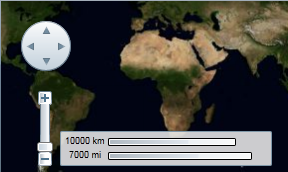
Silverlight themes are a collection of image settings that define the look of a control or controls. The benefit of using themes is that you can apply the theme across several controls in the application, thus providing consistency without having to repeat styling tasks.
When you add the C1Maps control to your project, it appears with the default theme:
You can theme the C1Maps control with one of our twelve included Silverlight themes: BureauBlack, ExpressionDark, ExpressionLight, Office 2007 Silver, Office 2007 Blue, Office 2007Black, Office 2010 Silver, Office 2010 Blue, Office 2010 Black, RainierOrange, ShinyBlue, WhistlerBlue. The table below shows a sample of each theme:
Full Theme Name | Appearance |
C1ThemeBureauBlack |
|
C1ThemeCosmopolitan |
|
C1ThemeExpressionDark |
|
C1ThemeExpressionLight |
|
C1ThemeOffice2007Black |
|
C1ThemeOffice2007Blue |
|
C1ThemeOffice2007Silver |
|
C1ThemeOffice2010Black |
|
C1ThemeOffice2010Blue |
|
C1ThemeOffice2010Silver |
|
C1ThemeRainierOrange |
|
C1ThemeShinyBlue |
|
C1ThemeWhistlerBlue |
|
You can add any of these themes to the C1Maps controls by declaring the theme around the control in markup. For task-based help about adding a theme to the C1Maps control, see Using C1Maps Themes.


