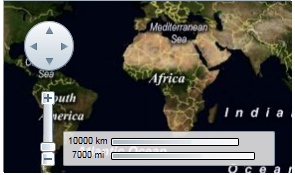
C1Maps can display geographical information from several sources. By default, C1Maps uses Microsoft LiveMaps aerial photographs as the source, but you can change that using the Source property, which takes an object of type MultiScaleTileSource. By default, this is set to display Bing Maps™ (see Legal Requirements prior to using this service) aerial photographs, but you can change it to display the road source or hybrid source.
Changing to Road Source
Complete the following steps:
1. In XAML view, add x:Name="C1Maps1" to the <c1:C1Maps> tag so that the object will have a unique identifier for you to call in code.
2. Enter Code view and import the following namespace:
Imports C1.Silverlight.C1Maps
•C#
using C1.Silverlight.C1Maps;
3. Add the following code beneath the InitializeComponent() method:
C1Maps1.Source = new VirtualEarthRoadSource()
•C#
C1Maps1.Source = new VirtualEarthRoadSource();
4. Press F5 to run the program and observe that the map presents the road source.
Changing to Hybrid Source
Complete the following steps:
1. In XAML view, add x:Name="C1Maps1" to the <c1:C1Maps> tag so that the object will have a unique identifier for you to call in code.
2. Enter Code view and import the following namespace:
Imports C1.Silverlight.C1Maps
•C#
using C1.Silverlight.C1Maps;
3. Add the following code beneath the InitializeComponent() method:
C1Maps1.Source = new VirtualEarthHybridSource()
•C#
C1Maps1.Source = new VirtualEarthHybridSource();
4. Press F5 to run the program and observe that the map presents the road source.
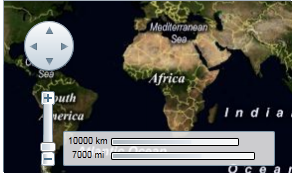
For more information about map sources, see C1Maps Concepts and Main Properties.