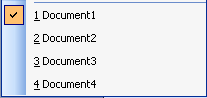
Used typically with MDI applications, the Windows List allows your end users to keep track of all open document windows. ActiveBar provides a WindowList tool type that automatically detects open document windows and creates a new list item for each. Clicking on the list item brings focus to the proper document. You usually add the WindowList tool to the Window submenu in an application. However, you can also add the tool to any band or popup menu.
Note: VB6 does not return the small icon for a window using Windows API functions. This small icon is no longer scaled because the list item can cause distortion of the image. In order to scale the image, you must set the ImageWidth and ImageHeight properties.
| See Also |
Walkthrough: Adding Tools at Run Time
Copyright © 2006 Data Dynamics, Ltd. All Rights Reserved.