The C1LinearGauge.Decorators Collection Editor and C1RadialGauge.Decorators Collection Editor allow you to add, remove, and edit items in the Decorators collection. You can access the Decorators Collection Editor by clicking the ellipses button next to the Gauges property in the Properties window and then clicking the ellipsis button next to the Decorators property.
Once open, the Decorators Collection Editor will appear similar to the following image:
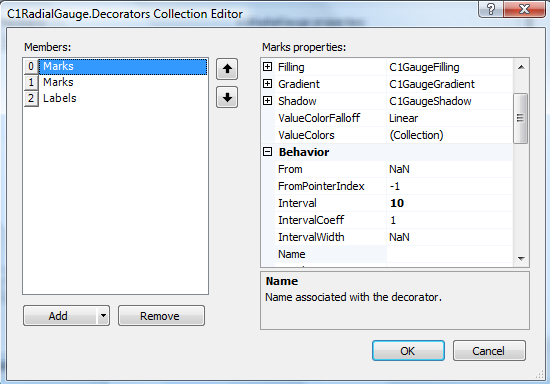
The left side of the editor lists the decorators included in the collection. You can click the Add button to add a new marks, labels, a single mark, a single label, or range:
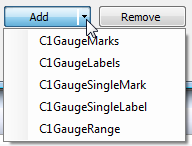
To remove an item, select the item to remove and click the Remove button. You can also change the order that decorators appear in by using the arrow buttons.
To edit properties on a decorator, pick an item in the Members list and edit its properties in the properties grid. To save your changes click the OK button. To close the dialog box without saving any changes, click the Cancel button.
|