The C1Gauge.Gauges Collection Editor allows you to add, remove, and edit gauges in the Gauges collection. You can access the Gauges Collection Editor by clicking the ellipses button next to the Gauges item in C1Gauge's Properties window.
Once open, the C1Gauge.Gauges Collection Editor will appear similar to the following image:
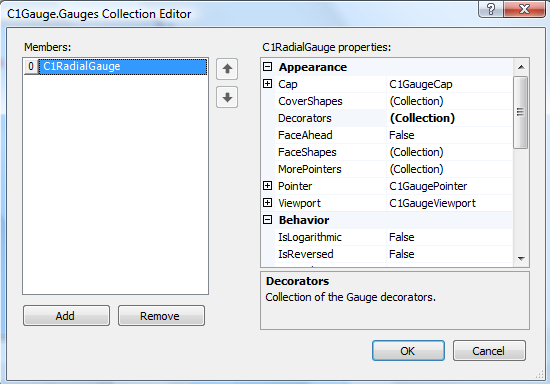
The left side of the editor lists C1RadialGauge and C1LinearGauge items hosted within the C1Gauge control. You can click the Add button to add a new gauge, which will open the New Gauge Gallery dialog box. To remove a gauge, select the gauge to remove and click the Remove button.
To edit properties on a gauge, pick an item in the Members list and edit its properties in the properties grid. To save your changes click the OK button. To close the dialog box without saving any changes, click the Cancel button.
|