In the previous steps you've created a new application, added a C1Gauge control to the form, and customized the control. All that's left is to run the application!
Select Debug | Start Debugging from the Visual Studio menu. The application will appear:
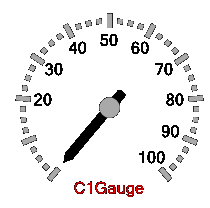
What You've Accomplished
Congratulations! You have successfully created a C1Gauge control. There are many themes you can apply to your gauge. See Gauges for ASP.NET AJAX Appearance for more information.
|