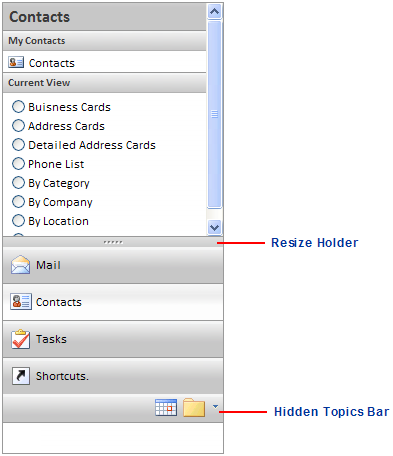
C1NavPanel includes the OutlookUISettings properties, allowing you to create a navigation pane like the one in Microsoft Outlook. These properties are described in the following table.
|
Property |
Description |
|
Sets or retrieves a value that indicates whether the hidden topics bar will be visible. | |
|
Sets or retrieves a value that indicates whether the resize holder will be visible. | |
|
Sets the hidden topics bar size in pixels. | |
|
Sets the resize holder size in pixels. |
To set the OutlookUISettings properties:
1. Click the C1NavPanel smart tag to open the C1NavPanel Tasks menu.
2. Select C1NavPanel1 on the Edit tab.
3. Expand the OutlookUISettings node under OutlookUI.
4. Set each property as desired. By default, the panel is set to mimic Outlook.
|