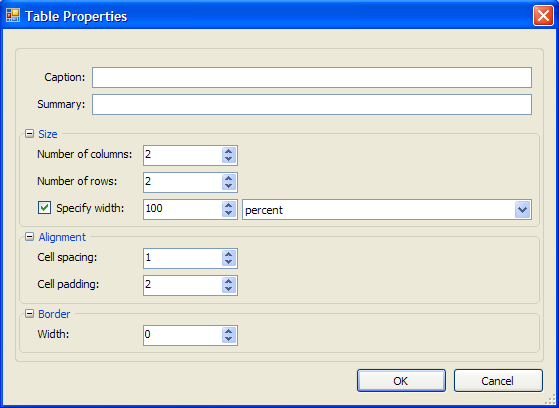
In the Table Properties dialog box, users create a new table, specify the number of columns and rows, set up cell spacing and padding, create a border, and add a caption for the table. Right-click the table to access additional properties for the row, column, or cell.
|
Caption |
Enter the caption to appear above the table. |
|
Summary |
Enter a description for the table. |
Size
|
Number of columns |
Enter the number of table columns. |
|
Number of rows |
Enter the number of table rows. |
|
Specify width |
Select this checkbox to specify the width of the table, either in percent or pixels. |
Alignment
|
Cell spacing |
Enter a number to determine spacing between cells. |
|
Cell padding |
Enter a number to determine the spacing that appears around cell content. |
Border
|
Width |
Enter the width of the table border. |
 Row Properties
|