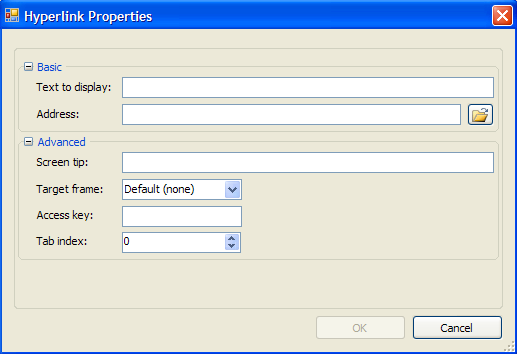
In the Hyperlink Properties dialog box, users can enter a URL, specify the text to display, add a tooltip, specify the frame where the Web page will open, create an access key, and enter a tab index.
Basic
|
Text to display |
Enter the text that will appear as a hyperlink in the document. |
|
Address |
Enter the URL address for the hyperlink. |
Advanced
|
Screen tip |
Enter the tooltip text that will appear when a user hovers over the hyperlink. |
|
Target frame |
Click the drop-down arrow to select a frame where the web page will appear when the hyperlink is clicked. |
|
Access key |
Enter a key that can be pressed with the ALT key to jump to a specific control on the page without using the mouse. |
|
Tab index |
Enter a number to define the tab order for the hyperlink. |
|