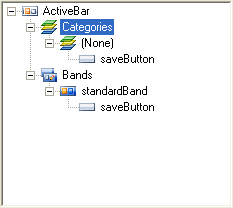
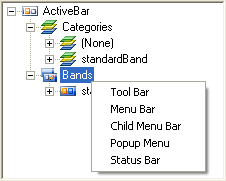
The Designer tree view has two main nodes, Categories and Bands. The tree view reflects the Band and Tool collection hierarchy of the ActiveBar 3.0 control object. The Categories node lists the tools in each category collection. The Bands node lists the bands added to your project and the Tools collection associated with each band.
Context menus
You can right-click the nodes of the Designer tree view to display context menus for adding and deleting objects.
ActiveBar
- Load Layout: Loads a previously saved toolbar layout.
- Save Layout: Saves the current layout as a .tb3 file.
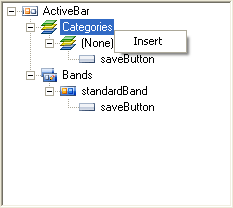
Category
- Insert: Adds a new category to the Categories node.
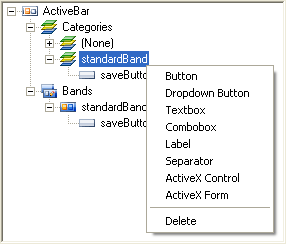
Categories and Bands Tool Collection
 Button: Adds a Button tool to the selected category or band.
 Dropdown Button: Adds a Dropdown Button tool to the selected category or band.
 Textbox: Adds a Textbox tool to the selected category or band.
 ComboBox: Adds a ComboBox tool to the selected category or band.
 Label: Adds a Label tool to the selected category or band.
 Separator: Adds a Separator tool to the selected category or band.
 Window List: Adds a Window List tool to the selected band. This tool is only available in the band context menu.
 ActiveX Control: Adds an ActiveX control to the selected category or band.
 ActiveX Form: Adds an ActiveX form to the selected category or band.
- Delete: Deletes the selected category or band and all tools listed under it.
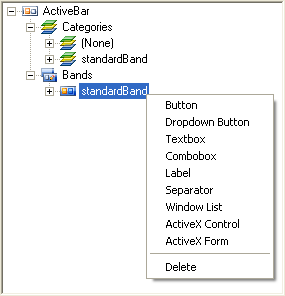
Bands
 Tool Bar: Adds a new Toolbar band to the Bands node.
 Menu Bar: Adds a new Menu Bar band to the Bands node.
 Child Menu Bar: Adds a new Child Menu Bar band to the Bands node.
 Popup Menu: Adds a new Popup Menu band to the Bands node.
 Status Bar: Adds a new Status Bar band to the Bands node.
| See Also |
ActiveBar Designer | Properties List
Copyright © 2006 Data Dynamics, Ltd. All Rights Reserved.